Deployment choices.
Discuss Software as a Service or on-premise deployment, with a configuration suited to single-site or multi-site requirements.

DIGITAL INTELLIGENCE / CREDOSOFT
Bring your equipment, inspections, and risk information into one connected perspective. Meet Credo 8.
Explore the platform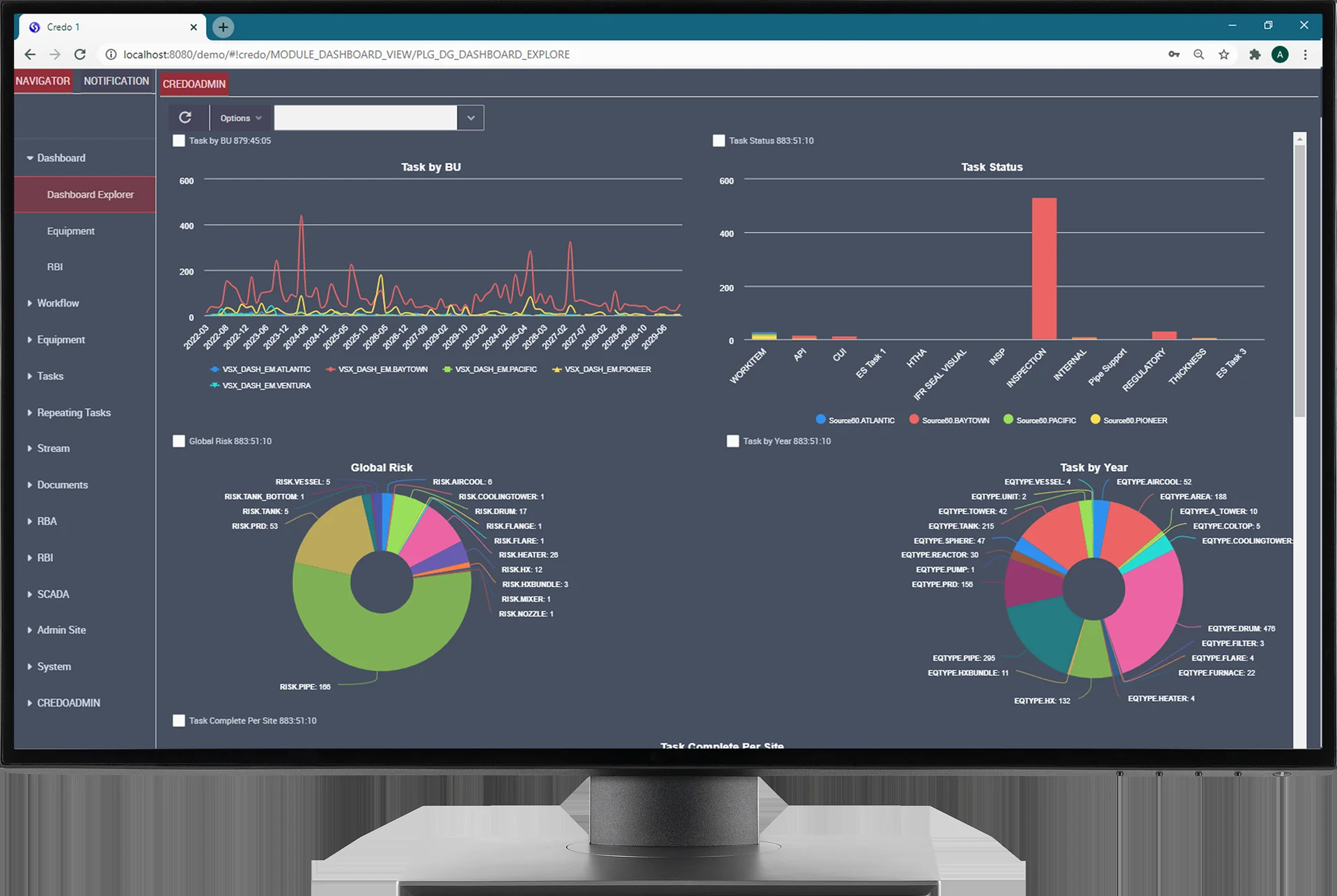
01FROM INFORMATION TO UNDERSTANDING
Asset integrity information becomes more useful when people can connect it, understand it, and act on it.
Credo 8 is Credosoft’s platform for asset integrity management and risk-based inspection. Through our representation of Credosoft, Al Qamzi helps clients explore the technology in the context of their operations.
The platform brings together equipment records, inspection information, damage modelling, corrosion data, and reporting. Web and mobile workflows support the connection between people in the field and the information held across the organisation.
Its application extends across static and rotating equipment, pressure systems, pressure relief devices, structures, vessels, and tanks. Module selection and deployment are considered around the requirements of the client.
02EXPLORE THE PLATFORM
Select a module to explore its role
and view the existing product screenshots.
Visibility
Bring key asset information into a configurable dashboard. Review corporate, regional, or site-level metrics, then explore the information behind the view.
03CREDO MOBILE
Keep field observations connected to the wider asset record.
Credo Mobile supports inspection work away from the desk. The existing platform offering includes native mobile applications and offline collection of inspection information, such as comments, point data, photographs, and observations.
Information can then be connected back to Credo 8, helping teams bring field findings into their inspection and asset-management workflow. Discuss the devices, integrations, and field requirements relevant to your operation when considering a deployment.
04BUILT AROUND YOUR OPERATION
Discuss Software as a Service or on-premise deployment, with a configuration suited to single-site or multi-site requirements.
Explore integration requirements involving existing maintenance and enterprise systems, including SAP and Maximo workflows described in the platform offering.
Consider user roles, authentication, reporting, training, and the way inspection information moves through your organisation.
The appropriate modules, integrations, standards configuration, and deployment arrangements are confirmed against your technical requirements with the software provider.
Risk-based inspection uses information about potential failure and its consequences to help prioritise inspection effort. Credo 8 connects assessment information with equipment records and inspection planning, including API 581-based workflows.
The platform offering includes multi-site management, allowing organisations to consider equipment and inspection information across locations. The relevant hierarchy, access, and reporting requirements should be defined for the deployment.
Credo Mobile includes offline capture of inspection information, which can be connected back to the platform. Discuss device support, synchronisation, and the intended field workflow with the team.
Contact Al Qamzi with your asset types, number of sites, current systems, and main inspection or reporting priorities. This helps shape a focused discussion about the relevant platform capabilities and deployment requirements.